Retrievers
Retrievers combine the features your extractors produce into multi-stage search pipelines.
34 stages available
A retriever is the stable multi-stage contract an application binds to by name, so the embedding model, the index and the query plan underneath can all change without breaking a caller. That job is one layer of the semantic layer for unstructured and multimodal data, the architecture that turns raw objects into named features and serves them through contracts an application can bind to.
Feature Search
Search and filter documents by vector similarity using feature embeddings
feature_searchAttribute Filter
Filter documents by metadata attribute values using boolean logic
attribute_filterAgent Search
LLM-driven multi-step retrieval with iterative reasoning and tool orchestration
agent_searchScore Threshold
Drop results below an absolute score and return no results when nothing qualifies
score_thresholdScore Normalize
Rescale document scores to a common range for consistent comparison
score_normalizeHow Retriever Pipelines Work
Combine stages to build sophisticated search and retrieval pipelines. Each stage type serves a specific purpose in the data flow.
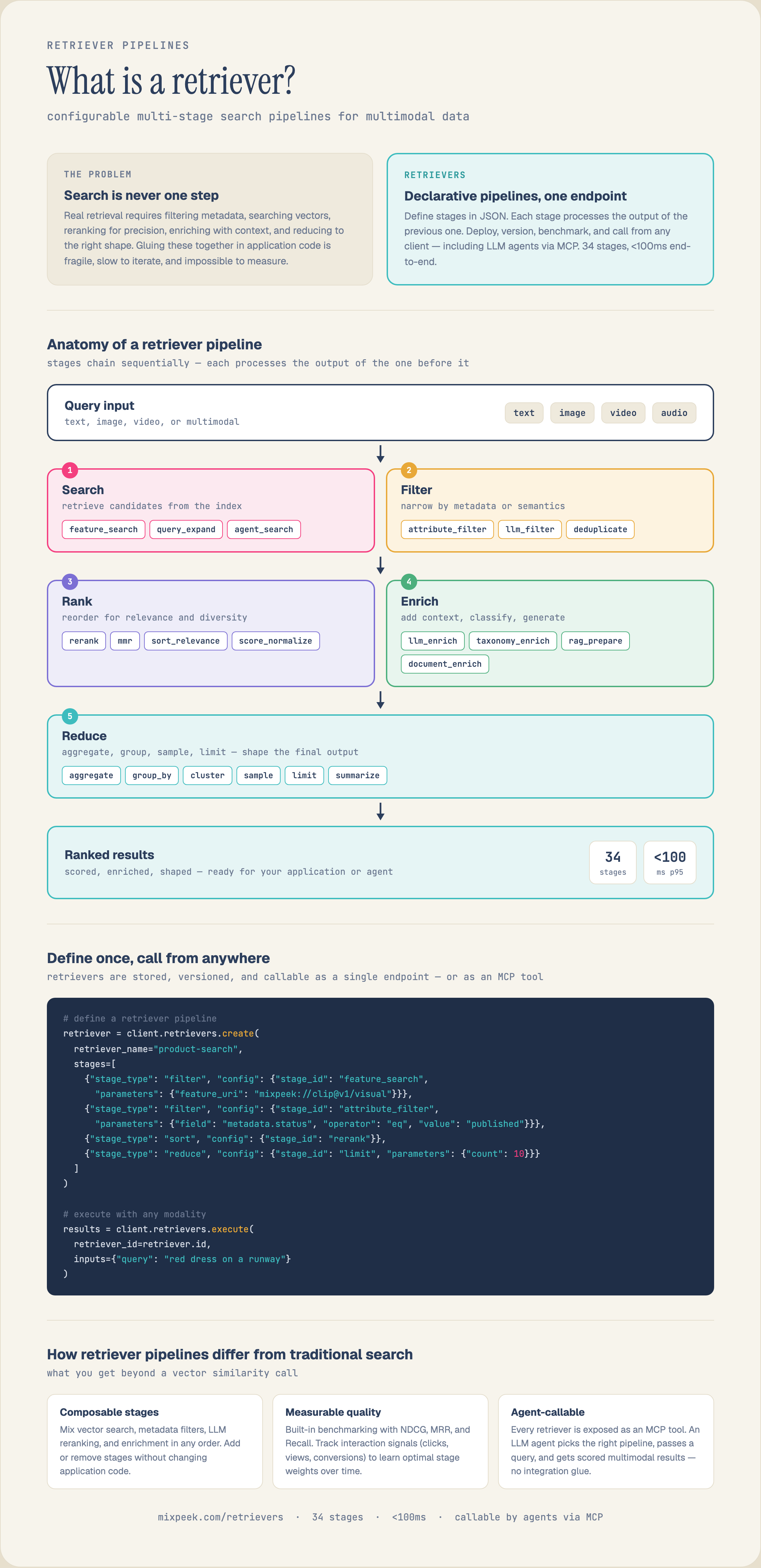
1. Search
Retrieve documents from collections using semantic search, keyword search, or hybrid approaches.
2. Filter
Remove documents that don't match criteria using attribute filters, score thresholds, or LLM evaluation.
3. Rank
Reorder documents by relevance using sorting, cross-encoders, or LLM-based reranking.
4. Generate
Create responses from retrieved documents using RAG, summarization, or custom LLM generation.
Build a retriever from the docs
The stages described above, with request shapes, and what each one passes to the next.