

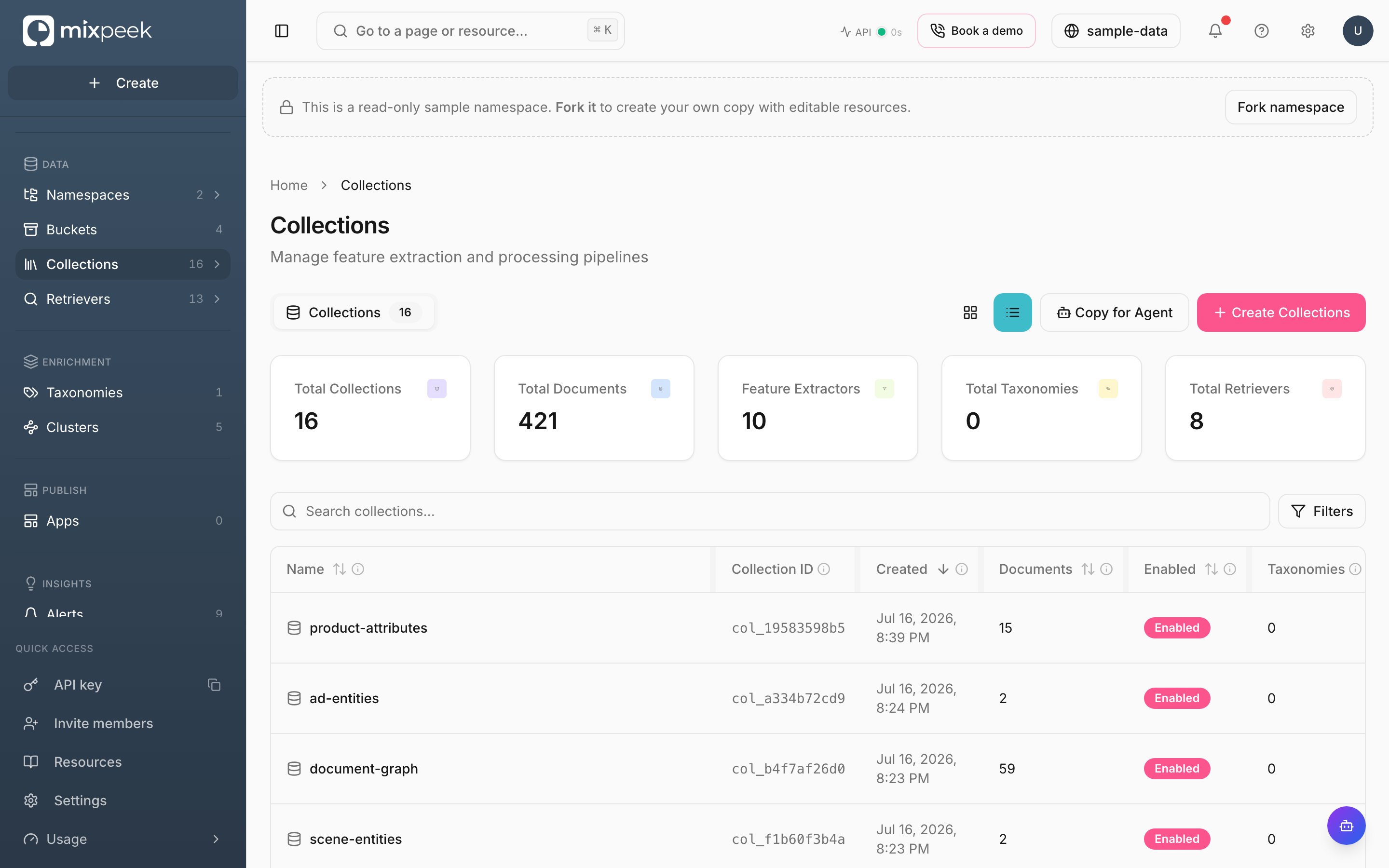
The Collections page — feature-extraction pipelines, each with its document count and enabled state.
Collections define how the warehouse decomposes raw files into queryable features.
Build collections
- Create: Click New Collection, name it, provide a source (bucket or collection), and pick the features you want (per your content’s modality). API: Create Collection.
- Features: Studio shows available feature addresses and vector indexes. Use this to configure retrievers. API: Describe Features.
- Update: Modify description, enablement, and taxonomy applications. API: Update Collection.
- List/Get/Delete: Browse, inspect, or remove collections. API: List, Get, Delete.
Documents
- View documents produced by extraction with metadata and vectors.
- Create or update documents directly for advanced workflows. API: Create, Update, Get, List, Delete.
Tips
- Collections are the searchable view of your data; choose features that match your modalities.
- Ensure
internal_idandX-Namespacecontext is correct—Studio handles this automatically.
1
Create a collection
Select a source, pick features, and save. Studio bootstraps vector indexes as needed.
2
Inspect features
Use Describe Features to confirm vector names, dimensions, and index metadata for retriever setup.
3
Attach taxonomies (optional)
Configure on-demand or materialized applications from the collection page.
4
Attach retriever enrichments (optional)
Configure retriever enrichments to run retriever pipelines on documents during post-processing. Each enrichment maps document fields to retriever inputs, executes the retriever, and writes selected result fields back to the document. Use for LLM classification, cross-collection joins, or multi-stage enrichment at ingestion time.
Documents are stored as MVS records with payload and vectors; the record ID is the document_id in results.