

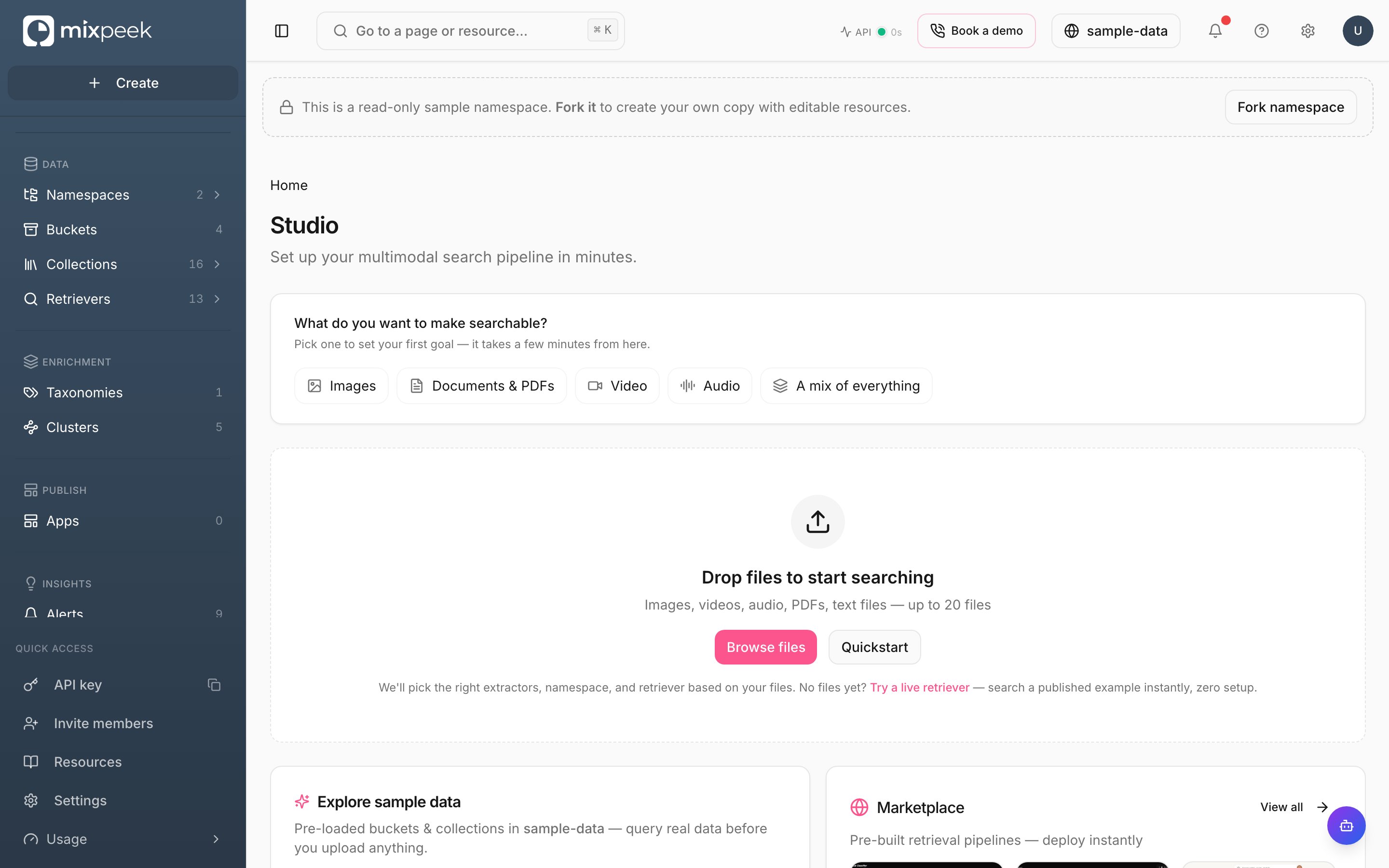
The Studio home — choose what you want to make searchable, drop in files, or explore the preloaded sample data.
Studio is the visual interface for the multimodal data warehouse, where you manage namespaces, collections, and retrievers.
Use the Studio to manage your organization
- Set active namespace: Use the top bar namespace switcher. All actions scope to this selection. Namespaces mirror API behavior for
X-Namespace. Create one in Studio or via Create Namespace. - Create buckets: Define schemas to validate your objects. Buckets are the entry point for raw data. See Create Bucket and Create Object.
- Create collections: Point to a source and pick features. Collections produce searchable documents and vectors. See Create Collection and Describe Features.
- Ingest data: Upload objects to buckets, optionally in batches. Processing runs in the Engine and writes documents to your namespace.
- Explore results: Use
Explorerto search, filter, and preview documents with presigned URLs. - Build retrievers: Configure stages, test inputs, and save pipelines to power your apps. See Create Retriever and Execute Retriever.
- Enrich with taxonomies: Attach flat or hierarchical taxonomies on-demand or materialized. See Create Taxonomy and Test Taxonomy.
- Discover with clusters: Run clustering jobs and apply enrichment back to collections. See Create Cluster and Execute Clustering.
Tips
- Auth is automatic in Studio: Your API key and
X-Namespaceheader are handled for you. When calling APIs directly, include both. - Rate limits and health: Check
Operationsfor service health and limits. API reference: Healthcheck and Limits.
1
Set active namespace
Use the top bar switcher. This scopes all actions and mirrors the
X-Namespace header.2
Create buckets
Define schemas, then register objects. Buckets are your raw input boundary.
3
Create collections
Pick features and index configs; this produces searchable documents and vectors.
4
Ingest and process
Upload objects or submit batches; the Engine writes vectors and payloads to MVS.
5
Explore and retrieve
Use Explorer for ad-hoc discovery and Retrievers for production search.
6
Enrich with taxonomies and clusters
Attach taxonomies on-demand or materialize; run clustering for discovery and analytics.
Studio follows Mintlify component patterns for clarity and scannability; see the Mintlify starter for examples.