

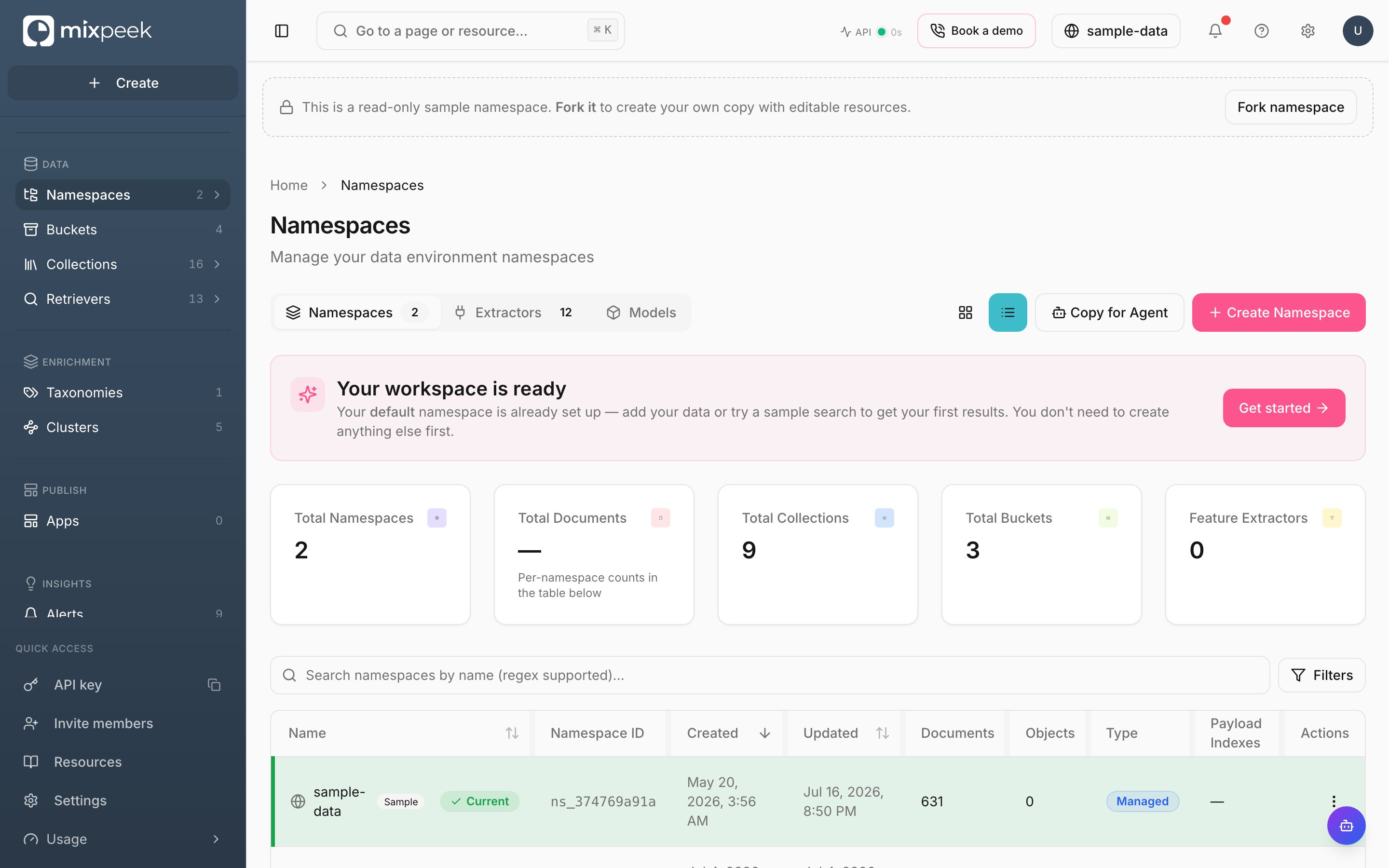
The Namespaces page — every namespace you can access, with its document and object counts.
Namespaces are isolated warehouse environments, each with its own storage, collections, and retrieval pipelines.
Manage namespaces in Studio
- Create: Click New Namespace, provide a name and optional description. You can attach feature extractors and payload indexes up-front. API parity: Create Namespace.
- Switch active namespace: Use the top bar to scope every page. This sets the
X-Namespacein API calls made by Studio. - Update: Edit payload indexes or rename. API parity: Update Namespace.
- List and search: Quickly find namespaces you have access to. API parity: List Namespaces.
- Get details: Inspect configured feature extractors and indexes. API parity: Get Namespace.
- Delete: Remove a namespace that you no longer need. This deletes the associated MVS namespace. API parity: Delete Namespace.
Tips
- Namespaces map 1 to 1 with MVS namespaces. Choose clear names per environment like
acme_dev,acme_prod. - Keep one or more feature extractors attached; Engine ensures the collection is bootstrapped on first ingestion.
1
Create a namespace
Click New Namespace, add details, and optionally attach feature extractors and payload indexes.
2
Switch active namespace
Use the top bar switcher; this sets the
X-Namespace applied by Studio.3
Manage and clean up
Update indexes as needs evolve; delete unused namespaces to keep your workspace tidy.
Deleting a namespace removes its backing vector store namespace for the org scope.On an Enterprise plan the platform takes a snapshot first, including a copy of your
bucket objects, and keeps it for 30 days. You can restore from it into a new
namespace, or over the original. On every other plan the delete is not covered by
anything, so take your own copy before you delete.A snapshot is a copy of the namespace’s data, taken while writes continue. It
restores the documents, vectors and objects it captured. It does not reproduce a
single instant, so treat it as a backup rather than as a rewind. See
Create Namespace Snapshot
and Restore From Snapshot.