Apply
Unwind
Decompose array fields into separate documents for per-element processing
On one real run
Three Results Went In. Seven Rows Came Out: What Unwind Actually Does to a Result Set
One search for a nylon hiking backpack returns three documents. Two carry no edges and are dropped entirely by the unwind stage; the third carries seven edges and becomes seven rows. input_count 3, output_count 7, and the two dropped documents never appear as empty rows because preserve_null_and_empty defaults to false.
See the full diagram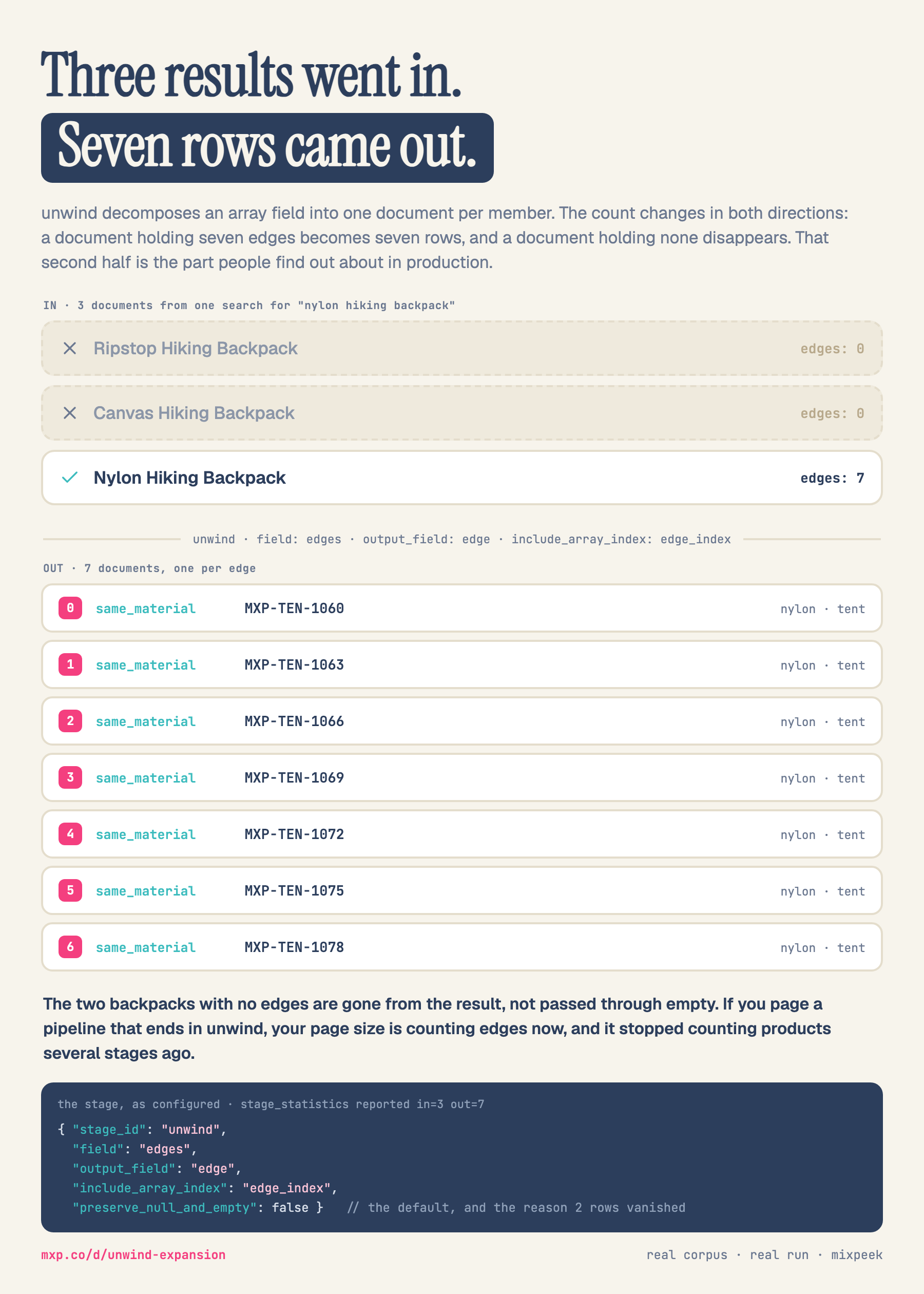
Note: This playground provides simulated output to showcase functionality. No data is processed on our servers. Use this demo to explore the stage's configuration options before integrating it into your retriever pipeline.
Configuration
string
Required
REQUIRED. Array field to unwind.
boolean
Keep documents where the field is null or missing.
boolean
Add an index field tracking the element's position.
Output
No output yet
Configure the stage parameters and click "Run Stage" to see the simulated output.