The Short Answer
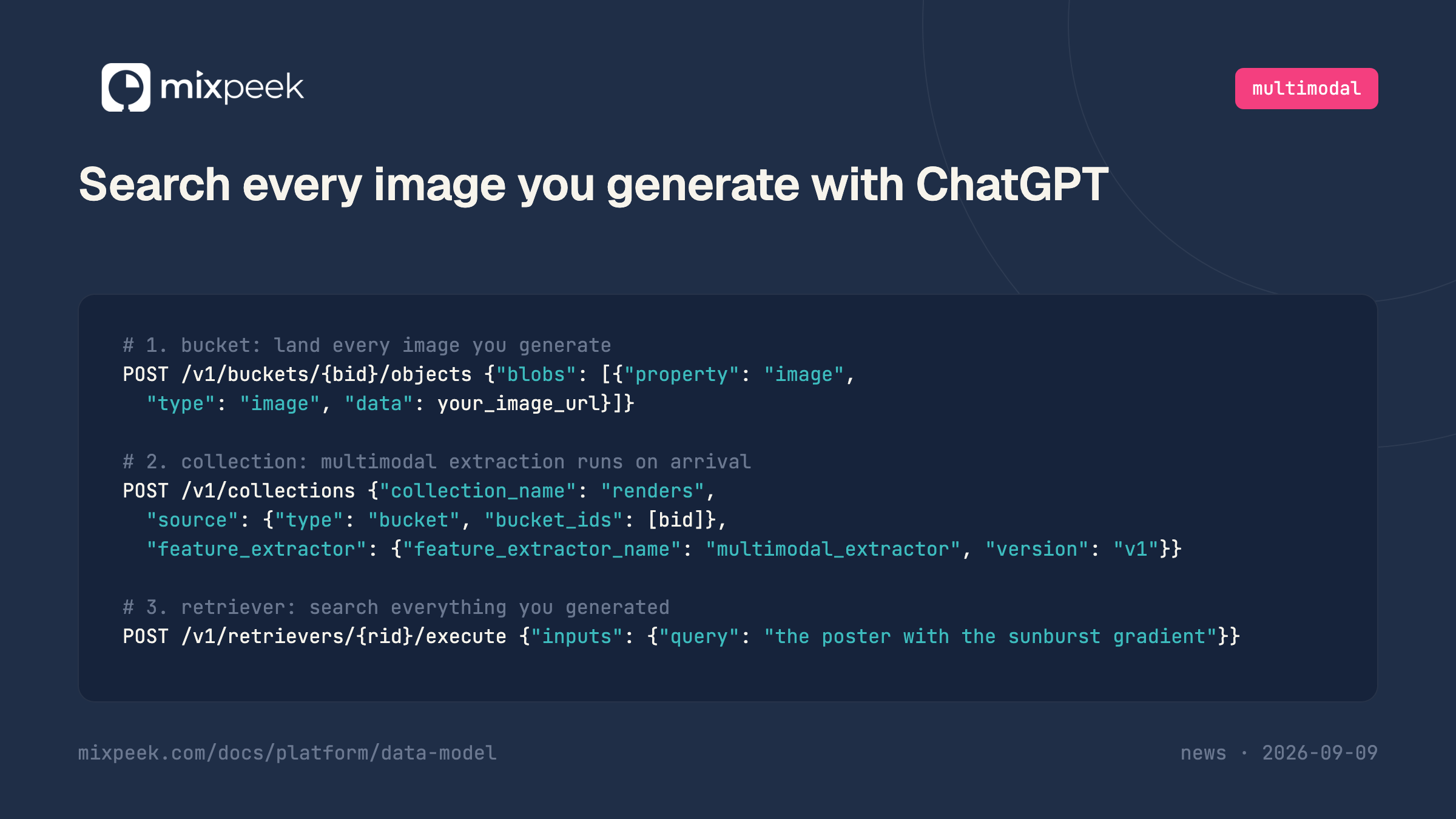
Land every image Images 2.5 produces in a Mixpeek bucket, point a collection at that bucket with the multimodal extractor, and query a retriever in plain language. Three API calls, and the object accepts either a hosted URL or the base64 bytes the OpenAI API can hand back directly, so there is no intermediate upload step for API-generated images.
Why a chat-generated image library gets lost fast
Images 2.5 ships as ChatGPT Images 2.5 for chat, work and Codex tiers, and as two API models,
gpt-image-2.5-flare and gpt-image-2.5-sunburst, on the same release day. That is two ways to produce images and one shared problem: neither the chat interface nor the API hands you a searchable library, only a stream of outputs.Flare is the default, tuned for speed at roughly half the latency of the prior generation. Sunburst targets premium editing workflows, campaign creative and product imagery where tighter control across edits matters more than raw speed. Neither difference shows up in a filename. A folder of exports from either model looks identical: a batch of numbered files or hashed URLs, with the model, the prompt and the edit history living only in whoever's memory ran the job.
The volume compounds the problem. Sketch-to-image, template reuse and multi-round editing are exactly the features that turn one idea into a dozen variants, and a person choosing between them by eye does not scale past the first afternoon. The fix is the same one that applies to any generated-media pipeline: index what the model produced, not what you named the file.
The three calls
# 1. bucket: land every image you generate
POST /v1/buckets/{bucket_identifier}/objects
{"blobs":[{"property":"image","type":"image","data":"your_image_url_or_base64"}]}

# 2. collection: multimodal extraction runs on arrival
POST /v1/collections
{"collection_name":"renders",
 "source":{"type":"bucket","bucket_ids":["{bucket_identifier}"]},
 "feature_extractor":{"feature_extractor_name":"multimodal_extractor","version":"v1"}}

# 3. retriever: search everything you generated
POST /v1/retrievers/{retriever_id}/execute
{"inputs":{"query":"the poster with the sunburst gradient"}}
What each call is doing
The bucket is the landing zone.
property names the field in the bucket schema the blob belongs to, type is image, and data accepts a hosted URL or the image bytes directly, covered below. Either way nothing has to be re-encoded before it lands.The collection declares extraction once rather than per file. Point it at the bucket and every object that arrives afterwards runs through the multimodal extractor on the same terms, whether it came from Flare, Sunburst, or a completely different model later.
The retriever is the query contract: plain language in, matching documents with scores out. Extraction reads the image's content, so "the poster with the sunburst gradient" matches on what is actually in the frame, not on a filename or a prompt nobody attached.
Getting the image out of ChatGPT and into a bucket
This is the step a URL-based generator does not need, and it is worth naming rather than glossing over. OpenAI's image API can return either a hosted URL or base64-encoded bytes depending on how you call it, and an image generated inside the ChatGPT app itself has no API output at all: you save or export it like any other chat attachment.
Mixpeek's object endpoint takes either shape without a separate upload step:
# from a hosted URL
POST /v1/buckets/{bucket_identifier}/objects
{"blobs":[{"property":"image","type":"image","data":"https://your-storage/renders/campaign-042.png"}]}

# from base64 bytes (a data URI or a {"base64": "...", "mime_type": "..."} object both work)
POST /v1/buckets/{bucket_identifier}/objects
{"blobs":[{"property":"image","type":"image","data":"data:image/png;base64,iVBORw0KG..."}]}
Mixpeek decodes and stores the base64 payload itself, so a b64_json response from the API can go straight into the
An image saved out of the ChatGPT app, rather than pulled from the API, is the same base64-or-URL choice one step earlier: export it, then send whichever form you have. There is no third path where the chat app hands the object to Mixpeek directly.
The prompt, the model variant and any edit lineage are worth keeping even though none of them is what you search. Blob metadata is promoted onto the object at ingest and comes back as a filterable field beside the semantic match:
data field with no intermediate host. Base64 blobs are capped by plan (5 MB free, 10 MB pro, 50 MB enterprise); for anything larger, upload to storage you control first and pass the resulting URL instead. Either path reaches the same collection and the same retriever, so pick whichever matches what a given call already handed you rather than standardizing on one.An image saved out of the ChatGPT app, rather than pulled from the API, is the same base64-or-URL choice one step earlier: export it, then send whichever form you have. There is no third path where the chat app hands the object to Mixpeek directly.
Adding the prompt and model as metadata
The prompt, the model variant and any edit lineage are worth keeping even though none of them is what you search. Blob metadata is promoted onto the object at ingest and comes back as a filterable field beside the semantic match:
POST /v1/buckets/{bucket_identifier}/objects
{"blobs":[{"property":"image","type":"image",
           "data":"data:image/png;base64,iVBORw0KG...",
           "metadata":{"prompt":"product shot, sunburst gradient background, studio light",
                       "model":"gpt-image-2.5-sunburst",
                       "edit_of":"campaign-041"}}]}
That combination is the useful one: find the image by what is in it, then filter by the model that produced it or the parent image it was edited from when you need to reproduce or continue a variant.
No. Both land in the same bucket, run through the same extractor and are matched by the same retriever on their content. The model choice affects generation speed and editing precision, which is a decision you make before the image exists; retrieval afterwards cannot tell, and does not need to.
Sometimes. The API can return a hosted URL or base64 bytes depending on how you call it, and an image made inside the ChatGPT app has neither, only an exported file. Mixpeek's object endpoint takes a URL or base64 directly, so whichever shape you get, it reaches the bucket in one call. The one manual step is exporting an app-generated image before it exists as bytes or a URL at all, which is the same capture step Atlas video export needs for its Record tool.
The features the multimodal extractor produced from the image itself, not the filename and not the prompt. That is why "the poster with the sunburst gradient" matches a file whose name is a hash. The prompt is searchable too if you attach it as metadata, but as a filter rather than the semantic match.
Tagging captures what you asked for; extraction captures what came back. Those diverge every time an edit changes the composition or a regenerate produces something better than the prompt described, which is usually the reason you are searching later. Folder names also fix your vocabulary at save time, while an embedding still matches a description written months afterward.
The pattern is identical for one image and for a hundred thousand: the collection processes whatever lands in the bucket, and extraction is paid once per object rather than per query. A large back catalogue is a one-time backfill. Deduplicate near-identical variants first with perceptual hashing if multi-round editing has left you with many close copies of the same image, since extracting the same content twice is the easiest cost to avoid.
How to Search, Deduplicate, and Moderate AI-Generated Video and Images for the vendor-neutral version of this pipeline across FLUX 3, Kling, Veo and Runway
Perceptual image hashing for catching near-duplicate edits before you pay to extract them twice
Search every world you generate with Atlas for the export-then-index pattern applied to a 3D reconstruction model
Search every world you generate with Runway for the same three calls against an interactive world model
Search everything you generate on fal for a generator that hands back a URL directly, no capture step needed
Buckets, objects and blobs for the full ingestion contract, including base64 and URL handling
Frequently Asked Questions
Does it matter for search whether an image came from Flare or Sunburst?
No. Both land in the same bucket, run through the same extractor and are matched by the same retriever on their content. The model choice affects generation speed and editing precision, which is a decision you make before the image exists; retrieval afterwards cannot tell, and does not need to.
Does OpenAI hand me an output URL the way fal does?
Sometimes. The API can return a hosted URL or base64 bytes depending on how you call it, and an image made inside the ChatGPT app has neither, only an exported file. Mixpeek's object endpoint takes a URL or base64 directly, so whichever shape you get, it reaches the bucket in one call. The one manual step is exporting an app-generated image before it exists as bytes or a URL at all, which is the same capture step Atlas video export needs for its Record tool.
What does the retriever actually search?
The features the multimodal extractor produced from the image itself, not the filename and not the prompt. That is why "the poster with the sunburst gradient" matches a file whose name is a hash. The prompt is searchable too if you attach it as metadata, but as a filter rather than the semantic match.
Is this different from organizing images by folder or tag at generation time?
Tagging captures what you asked for; extraction captures what came back. Those diverge every time an edit changes the composition or a regenerate produces something better than the prompt described, which is usually the reason you are searching later. Folder names also fix your vocabulary at save time, while an embedding still matches a description written months afterward.
Does this scale past a handful of test images?
The pattern is identical for one image and for a hundred thousand: the collection processes whatever lands in the bucket, and extraction is paid once per object rather than per query. A large back catalogue is a one-time backfill. Deduplicate near-identical variants first with perceptual hashing if multi-round editing has left you with many close copies of the same image, since extracting the same content twice is the easiest cost to avoid.