
The Short Answer
Record the session, land the recording in a Mixpeek bucket, point a collection at that bucket with the multimodal extractor, and query a retriever in plain language. The frames, the generated speech and any on-screen text get indexed at the segment level, so a query returns the moment inside the session rather than the whole file. Attach the WorldPrompt that seeded the session as metadata and you can filter by world, role or preset afterwards.
Why an interactive world is harder to find than a rendered one
A text-to-video model hands back one clip and you search it. A reconstruction model like World Labs' Atlas hands back a scene you cannot watch, plus renders along camera paths someone chose, so you search the renders. GWM Worlds 2 is a third shape. Per Runway's announcement it is an autoregressive audio-video model that generates the world as you play it, at 720p and 24 fps with 48,000 Hz audio, responding to text actions addressed to a subject or to the scene and to continuous camera input. Sessions have no preset length.
The consequence for retrieval is that a session is a performance. Two sessions started from the same preset diverge as soon as the first action lands, and the interesting parts, the campfire that flared when someone told it to, the line an NPC said back, exist only in the recording. The genesis prompt tells you what world was set up. The event stream tells you what was asked. Neither tells you what the model produced, and the gap between those is usually the reason you are searching.
So the recording is the artifact, and it is worth treating as one. Runway's demo captures sessions as video, and the announcement documents a contact form rather than an output URL or API for Worlds 2, so the handoff is a file you already have.
What a Worlds 2 session produces, and what is searchable by content
| Artifact | Searchable by content in Mixpeek | How to reach it |
|---|---|---|
| Session recording (720p, 24 fps, 48 kHz audio) | Yes | multimodal extractor: frames, speech, on-screen text |
| Generated speech and sound | Yes, through the recording | The audio track is part of the video; dialogue is transcribed |
| First frame | Yes | image extractor, or alongside the video in the same object |
| Genesis prompt (scene, subjects, laws) | As metadata | Filterable field on the object; not a search target by itself |
| Timestamped action stream | As metadata, or as a text blob | Land it as text on the same object if you want to query it in words |
| The live world state | No | It existed for the duration of the session and nowhere else |
The last row is the honest one. A world model's world is not a thing Mixpeek, or anything else, can index after the fact. What survives is what was recorded, and coverage of the world is exactly the coverage of the recordings. A corner of the map nobody walked into is absent from the index no matter how good the model is.
Speech deserves a note in the other direction. In Worlds 2 characters talk: NPC dialogue, a vlogger addressing the camera, a reply to something the player said. That audio is generated at 48 kHz and lands in the recording, and the multimodal extractor transcribes it, so a line of dialogue is as findable as a visual.
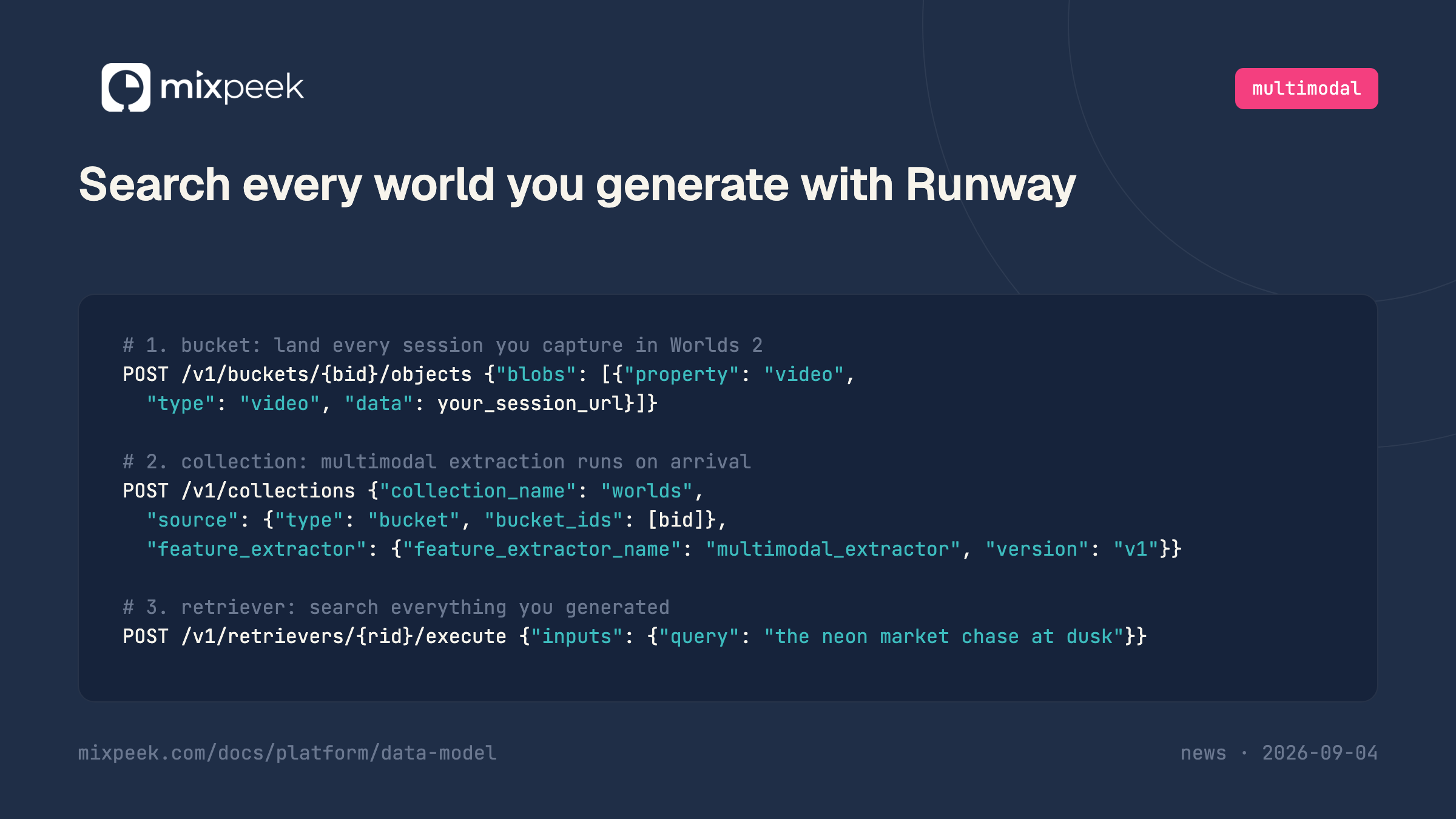
The three calls
# 1. bucket: land every session you capture in Worlds 2
POST /v1/buckets/{bucket_identifier}/objects
{"blobs":[{"property":"video","type":"video","data":"https://your-storage/worlds2/desert-survivor-0093.mp4"}]}

# 2. collection: multimodal extraction runs on arrival
POST /v1/collections
{"collection_name":"worlds",
 "source":{"type":"bucket","bucket_ids":["{bucket_identifier}"]},
 "feature_extractor":{"feature_extractor_name":"multimodal_extractor","version":"v1"}}

# 3. retriever: search everything you generated
POST /v1/retrievers/{retriever_id}/execute
{"inputs":{"query":"the neon market chase at dusk"}}
data takes an HTTP, HTTPS or S3 URL and Mixpeek fetches it, so the recording never passes through your machine on the way in. Put the capture wherever you already keep files and pass that URL. The collection declares extraction once; every session that lands in the bucket afterwards is processed on the same terms. The retriever returns matching documents with scores, and because extraction happened per segment, each result carries the timestamp of the moment that matched.Keeping the WorldPrompt attached to the recording
Runway's WorldPrompt splits a world into what persists and what changes: a genesis prompt with the scene, its subjects and its laws, a first frame, and a timestamped stream of actions and camera input. That structure is worth keeping next to the recording, because it is how you get from a moment somebody found back to the world it came from and the other sessions of the same world.
Blob metadata is promoted onto the object at ingest and is filterable afterwards, so attach the persistent half there.
POST /v1/buckets/{bucket_identifier}/objects
{"blobs":[{"property":"video","type":"video",
           "data":"https://your-storage/worlds2/desert-survivor-0093.mp4",
           "metadata":{"preset":"desert-survivor",
                       "genesis_prompt_id":"gp-7f21",
                       "role":"player-1",
                       "mode":"real-time",
                       "started_at":"2026-09-04T15:02:11Z"}}]}
Now a plain-language query finds the moment, and
Multiplayer sessions fit the same pattern. Runway's demo assigns roles, player one, player two, director, each with its own actions, and broadcasts one stream to everyone. Index the broadcast once and record the role of whoever captured it in metadata, rather than indexing one capture per participant of the same world.
Not that the announcement documents. GWM Worlds 2 is a research preview and the page offers a contact form for access. Sessions in Runway's own demo are captured as video, so treat the recording you make as the artifact: put it in storage you control and pass that URL in
Yes. Characters in Worlds 2 speak, with lip movement and delivery generated to match, and the audio is part of the recording at 48 kHz. The multimodal extractor transcribes speech, so a query for a line of dialogue, or for the topic of a conversation, matches the segment where it was said. This is the one place an interactive world is easier to search than a silent render.
Only recordings. The world is generated frame by frame from the WorldPrompt and the inputs, held in the model's sliding context for the length of the session, and gone when the session ends. There is no scene file to index. If coverage matters, play the world more than once and along different paths, the same advice as for a reconstruction rendered from a single camera path.
Attach them. The genesis prompt describes the world you set up and belongs in metadata as a filter. The action stream is a timestamped log of what was asked; export it and land it as text on the same object if you want to query it in words. Neither replaces the recording, because both describe intent and the recording is what the model produced.
Yes, and it is simpler. Those return a clip, so the flow is the one in the fal guide: send the output URL to the bucket and let the collection do the rest. Worlds 2 needs the extra step of recording only because there is no clip until you make one.
Extraction is the dominant cost and it is paid once per object, so a two-hour session costs more than a two-minute one, and the question is really how many sessions you keep. Trim the capture to the part worth finding before you land it, and dedupe repeated presets before you pay to extract them twice.
Search every world you generate with Atlas for the reconstruction-model version, where the render is the handle on the world
How do you search a 3D world you generated? for what a world-model export API hands back and what that leaves searchable
Search everything you generate on fal for the same three calls against a text-to-video model
Search every image you generate with ChatGPT for the same three calls against a single-image generator
Search every conversation you have with GPT Live for the same capture-then-index pattern applied to a live full-duplex voice session
Video scene segmentation for how a recording is cut into the units a query matches
Buckets, objects and blobs for the full ingestion contract
preset or genesis_prompt_id gives you every other session played in the same world. The action stream is the other half. If you only need to filter on it, a summary in metadata is enough. If you want to ask for it in words, land the exported action log as a second blob on a text property of the same object, so a query like "the moment the torches went out" can match the action text as well as the frames.Multiplayer sessions fit the same pattern. Runway's demo assigns roles, player one, player two, director, each with its own actions, and broadcasts one stream to everyone. Index the broadcast once and record the role of whoever captured it in metadata, rather than indexing one capture per participant of the same world.
Frequently Asked Questions
Does Runway give me an output URL for a Worlds 2 session?
Not that the announcement documents. GWM Worlds 2 is a research preview and the page offers a contact form for access. Sessions in Runway's own demo are captured as video, so treat the recording you make as the artifact: put it in storage you control and pass that URL in
data. If Runway ships an export API later, the same call takes its URL and nothing else in the pipeline changes.Is the generated dialogue searchable?
Yes. Characters in Worlds 2 speak, with lip movement and delivery generated to match, and the audio is part of the recording at 48 kHz. The multimodal extractor transcribes speech, so a query for a line of dialogue, or for the topic of a conversation, matches the segment where it was said. This is the one place an interactive world is easier to search than a silent render.
Can I search the world itself, or only recordings of it?
Only recordings. The world is generated frame by frame from the WorldPrompt and the inputs, held in the model's sliding context for the length of the session, and gone when the session ends. There is no scene file to index. If coverage matters, play the world more than once and along different paths, the same advice as for a reconstruction rendered from a single camera path.
What about the genesis prompt and the action stream?
Attach them. The genesis prompt describes the world you set up and belongs in metadata as a filter. The action stream is a timestamped log of what was asked; export it and land it as text on the same object if you want to query it in words. Neither replaces the recording, because both describe intent and the recording is what the model produced.
Does this work for Gen-4.5 or Aleph output too?
Yes, and it is simpler. Those return a clip, so the flow is the one in the fal guide: send the output URL to the bucket and let the collection do the rest. Worlds 2 needs the extra step of recording only because there is no clip until you make one.
Is a long session expensive to index?
Extraction is the dominant cost and it is paid once per object, so a two-hour session costs more than a two-minute one, and the question is really how many sessions you keep. Trim the capture to the part worth finding before you land it, and dedupe repeated presets before you pay to extract them twice.